
Harica Certificate Creation
Reti Wi-Fi “polimi-protected” e “eduroam”
Accesso wired
5 estimated minutes.
Need help?
Check out our frequently asked questions or submit a support request.
Before you begin
Complete these verifications before you start setup
Why do you need the Harica certificate?
The HARICA (IGTF Client Authentication) certificate is required to authenticate securely on Polimi networks.
Keep your Polimi credentials available
Make sure you have your Polimi credentials (person code and password) in order. You can check the status of your password or set a new one through the authentication widget available in the Online Services.
Login and Authentication
From the browser of the device you want to connect from :
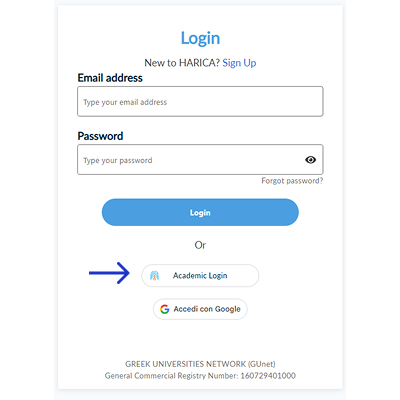
- Visit the cm.harica.gr website
- Choose Academic Login
Schermata di riferimento
Institute Selection
- In the institution field, type “polimi” and select the result “Politecnico di Milano“
- In the “Information Release” section: click on “Accept“
Schermata di riferimento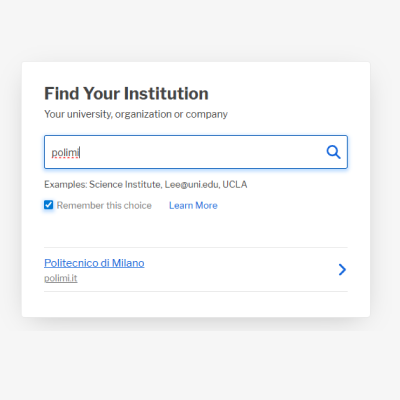
Choice of certificate type
Choice of certificate type
- From the Home, on the side menu, in the Certificate Request section > Click IGTF client auth (1)
- In the main section, select GÉANT Personal Authentication (2) and Confirm.
Schermata di riferimento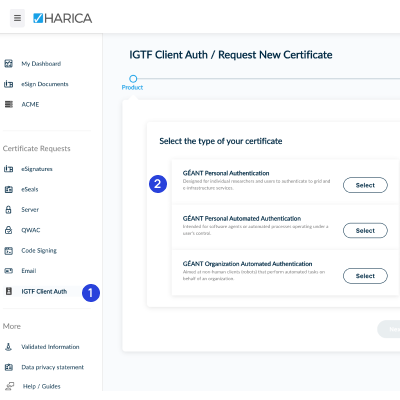
Certificate Type Confirmation
- confirm GÉANT Personal Authentication by clicking on “Next“
- Accept Terms of Use and the Certification Practices of HARICA
- Click on”Submit request “
Schermata di riferimento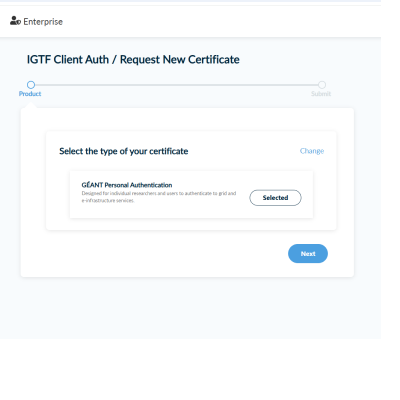
Generate the certificate
- From the dashboard, in the main area you will find the“Ready Certificates”,
click on “enroll your certificate”
Schermata di riferimento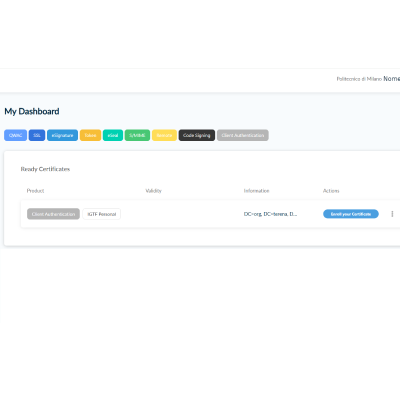
Configure Certificate and Download
- Select the following options:
- Leave “Generate Certificate” selected
- Algorithm = RSA
- Key size = 4096
-
Enter and confirm a passphrase to secure the certificate.
Warning: without this passphrase the certificate will be unusable.
- Select “I understand that this passphrase is under my sole knowledge and HARICA does not have access to it.
- Click on “Enroll Certificate” to proceed with the download of the certificate.
Schermata di riferimento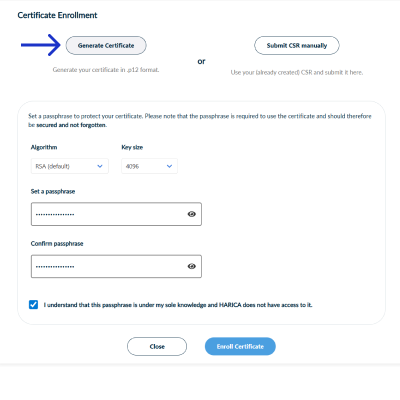
Download
- Press “Download”.
Please note: the certificate will not be able to be downloaded if you leave this page.
Schermata di riferimento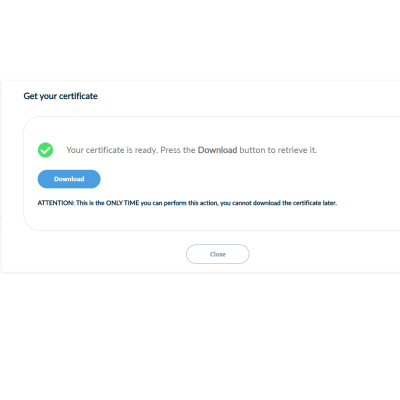
Hai terminato la generazione del certificato Harica.
You have finished generating your Harica certificate. Once you have finished this step, proceed to configure your device from the Permanent Connection page by following the instructions for the type of device or O.S.