
Configuration with certificate – Linux
“Polimi-protected” and “eduroam” Wi-Fi networks
Wired access
10estimated minutes
Need help?
Check out our frequently asked questions or submit a support request.
Before you start
Please complete these checks before starting setup.
Keep your certificate available
To proceed with the configuration, you must first have the certificate obtained here Creazione Certificati Harica
Using a USB-Ethernet card? Insert and install it.
To enable wired network access, the card must be inserted and installed before starting the configuration.
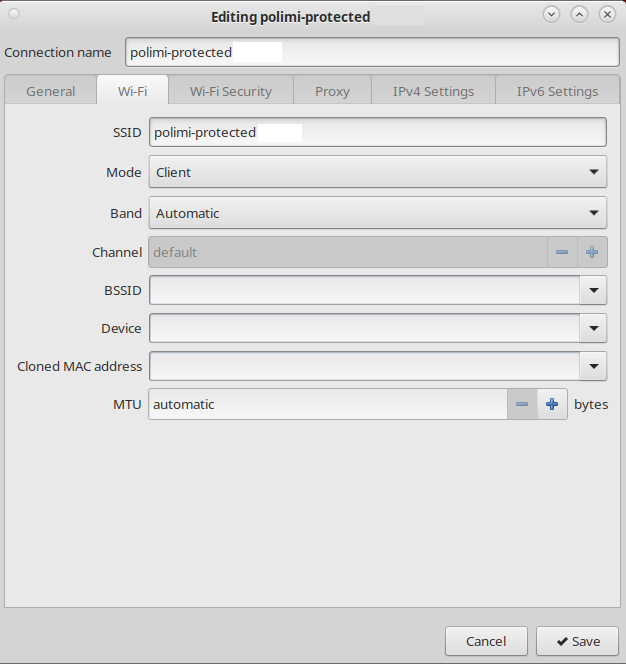
Manual Wi-Fi Configuration
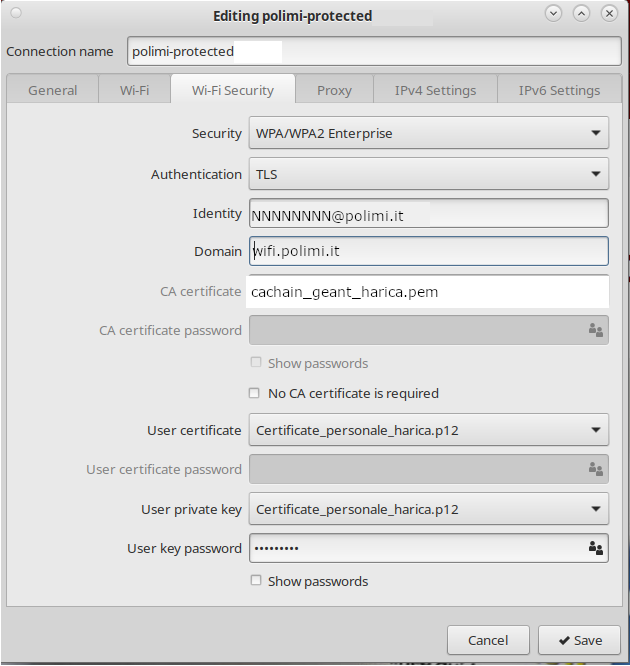
- Install your personal certificate. In the “ user key password ” field, enter the passphrase you set when generating the certificate.
- Download the CA certificate cachain_geant_harica.pem
- Extract the .zip file and upload the certificate
- Configure the interfaces as shown in the screenshot
Schermata di riferimento
Configurazione Manuale Wired
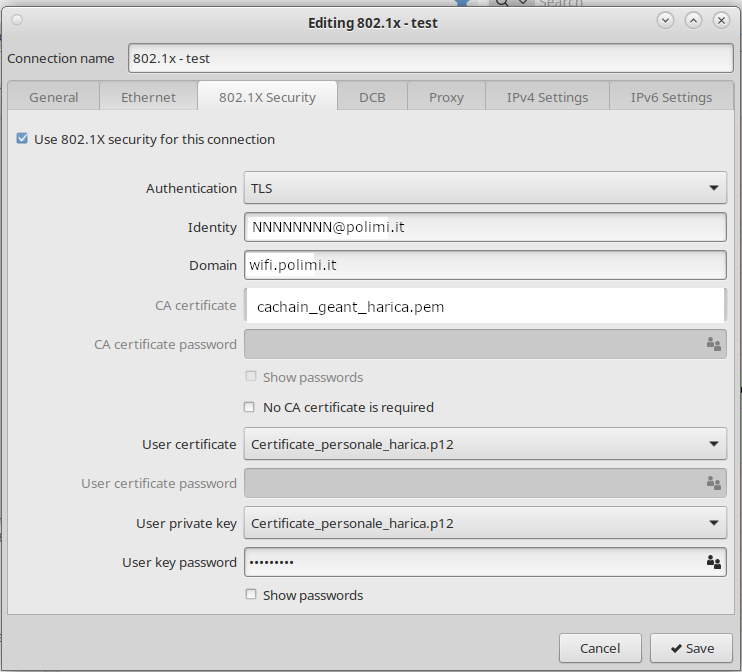
- Install your personal certificate. In the “ user key password ” field, enter the passphrase you set when generating the certificate.
- Download the CA certificate cachain_geant_harica.pem
- Extract the .zip file and upload the certificate
- Configure the interfaces as shown in the screenshot
Schermata di riferimento
You are done with the setup.
- The certificate expires two years after it’s generated; you’ll receive an email notification approximately 15 days beforehand. Upon expiration, the connection will stop working, and you’ll need to reconfigure it with a new certificate.